
DRIVE Electric for Tesla
KlokkProjectsLifestyle
3.692.00 Reviews
- Version
- Varies With Device
- Installs
- 10.00K
- Age Rating
- Everyone
Screenshots
Our Review of DRIVE Electric for Tesla
 Analysis by Appyee
I see DRIVE Electric for Tesla as a companion for people who like keeping an eye on their car from a Wear OS watch. Its appeal is not simply that a watch can show information; it is that NFC, Bluetooth and internet connectivity are part of the way it reaches the vehicle. That makes it most interesting when your phone is tucked away and you want a quick glance or a convenient way to interact, while also making network conditions worth considering before you rely on it.
When a connection changes the convenience
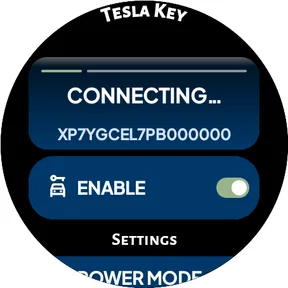
A watch is useful because it is already on your wrist, but the experience depends on more than the screen. The app is designed to use several kinds of connectivity to access a Tesla, so the practical question is whether the connection is available at the moment you want to use it. A quick check while heading out can feel effortless; a command made in a place with unreliable reception may involve waiting or trying again. I would treat it as a convenient access point, not as a substitute for the car’s own controls.
That distinction matters most for time-sensitive actions. If I were checking the car before walking across a parking lot, I would use the watch to reduce friction, then allow a moment for the request to complete rather than assuming every tap is instantaneous. For anything that needs to work regardless of connectivity, the watch should not be my only plan. The combination of NFC, Bluetooth and the internet gives the app multiple connection technologies to work with, but it does not make every situation equally dependable.
Useful in the small gaps of an ordinary day
The strongest use case is not a dramatic road-trip control room; it is a small moment when taking out a phone feels unnecessary. Imagine finishing a grocery run, pushing a trolley with one hand and carrying bags in the other. A wrist-based way to access the Tesla can be more convenient than finding and unlocking a phone. The same logic applies when walking toward the car or checking in on it during a quick break.
It also suits drivers who already wear a compatible Wear OS watch and want their Tesla access close at hand. If you rarely wear a watch, or your phone is already easy to reach, the benefit shrinks. I would not buy a watch just to make this app worthwhile: the value comes from fitting into a setup you already use, not from adding another device and another connection to manage.
There is a useful habit here: decide which tasks genuinely benefit from wrist access before making it part of your routine. Quick checks and simple, low-stakes interactions are a natural fit. More involved planning is usually easier on a phone, where there is more room to read details and recover from a missed tap. Keeping the watch for convenience and the phone for deliberate decisions makes the two devices feel complementary rather than redundant.
How it differs from phone-first Tesla tools
Most owners will already think of their phone as the familiar place to access a car. A Wear OS app changes the interaction, not the basic relationship: you still need a working route between the watch and the vehicle. The watch’s advantage is immediacy and hands-free availability in the everyday sense of not having to reach for a phone. Its trade-off is a smaller interface and less room to understand what is happening if a request takes longer than expected.
That makes this a narrow, purposeful lifestyle app rather than an all-purpose Tesla management solution. It is best for someone who values having car access on a watch and is comfortable with connected devices. If you only need occasional access, the usual phone-based method may be simpler. If you want a detailed view or prefer to make decisions on a larger screen, a phone remains the more comfortable option.
I would also think about the practical setup before relying on wrist access away from home. Keep the watch charged, make sure it is connected as you expect, and try the actions you care about while you are in a low-pressure setting. That small test helps you learn whether your own watch-and-car routine feels smooth without discovering a snag when you are in a hurry.
When things do not respond as expected
Connected controls can feel less reassuring than a physical key because there is no immediate visual proof that a request has gone through. If a command appears delayed, I would pause and check the app before tapping repeatedly. Repeating an action without knowing whether the first request completed can create uncertainty, especially when the action affects access or comfort. A calm retry is better than assuming that speed is guaranteed.
It is also sensible to keep a familiar alternative available. The watch is a convenience layer, and the phone or the normal way you access your Tesla can serve as a fallback if the watch is disconnected, its battery is low, or the connection is not behaving well. This is not a reason to avoid the app; it is simply the sensible way to use any connected control when you need dependable access.
Before depending on it for an important moment, I would test it in the places where I expect to use it: at home, near the car and somewhere I know connectivity may be less predictable. Notice how long a request takes and what the app shows when it is still working. That gives you a realistic sense of its behavior on your own setup, rather than assuming that a successful first try means every later attempt will be identical.
Connectivity and personal comfort
Because this app connects a watch with a car, I would give account access the same thought I give any connected vehicle service. Use a device you keep secure, pay attention to who can access your watch, and avoid treating a glanceable screen as private when other people are nearby. These are everyday precautions, not a claim about any particular permission or data policy.
There is a convenience-versus-dependence trade-off, too. Adding a watch as another way to reach the car can make a routine easier, but it also means keeping another device ready and connected. If you prefer fewer devices, fewer account integrations or a simpler setup, this may feel like more management than it is worth. If you already enjoy a connected watch routine, it can be a tidy extension of it.
Getting Started with DRIVE Electric
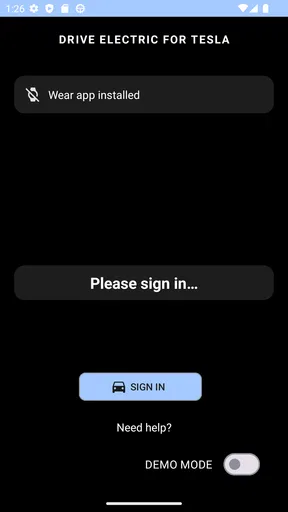
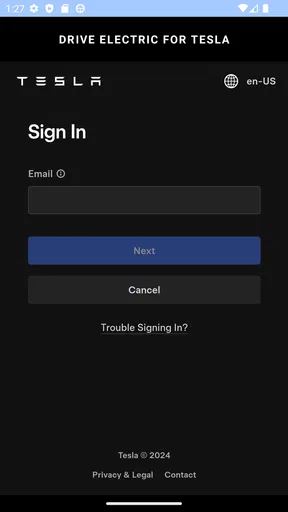
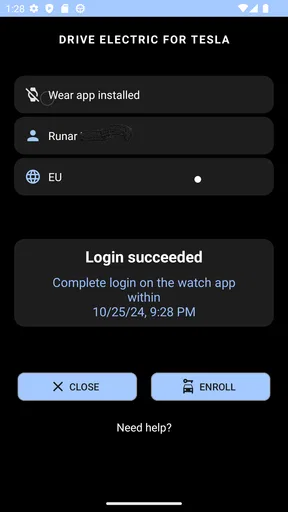
Downloading and setting up the DRIVE Electric for Tesla app was a breeze. You can grab it from either the App Store or Google Play, so it’s accessible whether you’re team iPhone or Android. Once installed, the app prompts you to connect it to your Tesla account. The process is pretty straightforward and secure, which is a relief for anyone wary of sharing login credentials.
As soon as you're logged in, the app's interface welcomes you with a sleek, modern design that’s easy on the eyes. It feels like you’re sitting in the driver’s seat of a Tesla, which adds a layer of excitement right from the get-go.
Features That Make You Go Wow
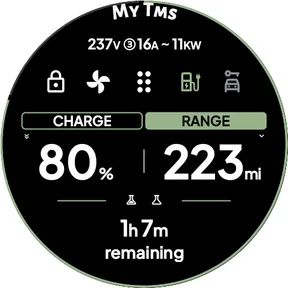
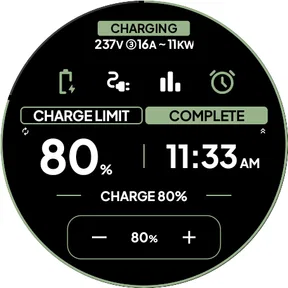
The app is packed with features that are not only functional but also fun to use. My personal favorite is the real-time data tracking. You can monitor your car’s battery level, charging status, and even get insights into your driving efficiency. It’s like having a personal assistant who’s obsessed with your Tesla.
Another cool feature is the trip logging. The app automatically logs all your trips, providing detailed statistics about your travel time, distance, and energy consumption. For someone who loves data, this is a goldmine. Plus, it helps in planning future trips more efficiently.
Seamless Integration with Tesla
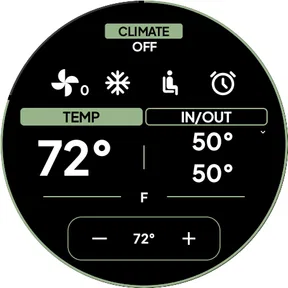
One thing I absolutely loved about this app is how seamlessly it integrates with Tesla’s ecosystem. You can control basic functions of your car, like unlocking doors or setting the climate controls, all from within the app. It’s like having the power of your Tesla at your fingertips, literally.
For those who are environmentally conscious, the app provides detailed reports on your energy usage and carbon footprint. It gives you a sense of how much you’re contributing to a greener planet, which is a nice touch.
Driving Experience Enhanced
While the app doesn’t drive the car for you (wouldn’t that be something?), it certainly enhances the driving experience. By providing insights and data, it allows you to make informed decisions about your driving habits. This not only helps in optimizing your car’s performance but also in getting the most out of your battery life.
Moreover, with features like charging notifications and location-based alerts, you’re always in the loop about your car’s status. It’s like having a co-pilot who’s always looking out for you.
Those information-rich features make more sense when I use them to answer a particular question, such as whether a familiar commute is consuming more energy than I expect. I would look at the figures as context rather than a verdict on my driving: route, weather and everyday conditions can all affect a trip. The useful payoff is noticing patterns over time and deciding whether there is something practical to change, not chasing a perfect number on every journey.
Who will get the most from it
KlokkProjects has made a paid Lifestyle app for Tesla owners who want connected access from Wear OS. It costs $12.99, is rated for Everyone, and has an average rating of 3.6 from 209 ratings, with 92 reviews and over 10K installs. It was released on Nov 10, 2021, and requires Android 8.0 or later. In-app purchases range from $1.99 to $9.99 per item, so I would check the purchase details and decide what you need before spending more.
The rating gives me reason to be measured rather than assume that the experience will suit every setup. Wear OS devices and connectivity habits differ, and a watch-based Tesla tool is inherently more dependent on a particular combination of devices than a basic phone app. I would read recent user feedback and confirm that your watch is supported before paying. The app is most compelling if you already wear a compatible watch, drive a Tesla regularly, and can name a moment when reaching for your phone is genuinely inconvenient.
It is less compelling for someone who wants a free, no-friction way to check a car once in a while, or who expects a watch app to replace every phone interaction. It is also not the best fit if you dislike linking accounts or want vehicle access to depend on as few connected devices as possible. In those cases, the standard phone experience is likely the more straightforward choice.
How I would make it part of a routine
I would start with one simple routine rather than trying to make the watch the center of every Tesla interaction. For example, check the car while walking out of a building, then use the phone if the information calls for a closer look or a more considered action. On a charging day, a watch glance can help you decide whether to check further, while the phone remains the place to review details. This division keeps the small-screen convenience without expecting it to do every job equally well.
Another practical tip is to learn the difference between a useful notification and an invitation to keep checking. Alerts can save a trip to the car or a phone check, but frequent glances can become noise if you do not need constant updates. I would keep the app’s role focused on moments where knowing the car’s status changes what I do next. That makes the connected feature feel helpful instead of turning it into another source of distraction.
For a household where more than one person uses the Tesla, I would be careful about whose watch is connected and who is comfortable having access from it. The convenience is personal, but vehicle access affects everyone using the car. Agreeing on a simple routine—who checks, who acts, and which device is the fallback—can prevent confusion more effectively than adding more ways to control the vehicle without discussing them.
Wrapping It Up
After spending some time with the app, I can confidently say it’s a must-have for any Tesla owner. It combines functionality with a user-friendly interface, making it not just a tool, but a companion that enhances your Tesla experience.
Whether you’re a data geek, a tech enthusiast, or just someone who loves their Tesla, this app has something to offer. It’s like adding a cherry on top of the already fantastic Tesla experience. So, if you haven’t tried it yet, give it a whirl, and let me know how it revs up your Tesla journey!
My connectivity verdict
For me, the main question is whether wrist access solves a real annoyance in your day. If your watch is already part of your routine and you value a quick way to interact with your Tesla, the combination can feel genuinely convenient. If your phone is always at hand, or you need a dependable control method in every network situation, the extra device may add complexity without enough benefit.
I would approach DRIVE Electric for Tesla as a useful connected companion, not an essential part of owning the car. Set it up, test it in ordinary conditions, and keep your usual access method available when a request matters. That is the balance I would recommend: enjoy the convenience when connectivity cooperates, but do not let a watch become the only route between you and your vehicle.
Verdict
Strengths of DRIVE Electric for Tesla
- User-friendly interface for easy navigation.
- Real-time charging status updates.
- Customizable charging notifications.
- Seamless integration with Tesla app.
- Detailed energy consumption reports.
Limitations of DRIVE Electric for Tesla
- Limited to Tesla vehicles only.
- Requires stable internet connection.
- Occasional bugs in notification system.
- Subscription required for premium features.
- High battery usage during app operation.
Similar Picks in This Category
View All
SmartThings
Samsung Electronics Co., Ltd.4.6

Google Home
Google LLC4.0

Pinterest4.2

Astrotalk - Talk to Astrologer
Astrology & Horoscope4.7

My Verizon
Verizon Consumer Group4.5

Samsung Wallet (Samsung Pay)
Samsung Electronics Co., Ltd.4.1
Frequently Asked Questions
What features does DRIVE Electric for Tesla offer?
DRIVE Electric for Tesla provides a comprehensive suite of features designed to enhance your Tesla experience. These include real-time battery monitoring, charging station locators, route planning, and personalized usage statistics. The app also integrates with smart home devices, allowing you to control charging settings remotely. Overall, it aims to optimize and simplify the management of your Tesla vehicle.
Is DRIVE Electric for Tesla compatible with all Tesla models?
Yes, DRIVE Electric for Tesla is compatible with all current Tesla models, including the Model S, Model 3, Model X, and Model Y. The app is designed to adapt to each model's specific features and firmware updates, ensuring seamless integration and functionality. Always ensure your vehicle's software is up-to-date for optimal performance.
How does DRIVE Electric for Tesla enhance the charging experience?
The app enhances the charging experience by providing real-time updates on battery levels and charging progress. It helps locate nearby charging stations with availability status and estimated time to full charge. Additionally, users can set charging schedules and receive notifications when charging is complete, ensuring efficient energy usage and cost savings.
Can I use DRIVE Electric for Tesla to control my vehicle remotely?
Yes, DRIVE Electric for Tesla allows remote control of various vehicle functions. Through the app, users can lock or unlock doors, adjust climate settings, and even initiate charging. This level of control provides convenience, especially in situations where direct access to the vehicle is not possible.
Is DRIVE Electric for Tesla secure and how does it protect my data?
Security is a top priority for DRIVE Electric for Tesla. The app employs encryption protocols to safeguard user data and vehicle information. Regular updates add layers of security, and users are encouraged to enable two-factor authentication for added protection. Transparency in data handling ensures users' privacy and trust.
